Android step counter

Just walk.Nivio keepscount.

Nivio starts each walk by itself, counts your steps and tells a ride from a walk. It is free, needs no account, and your walks stay on your phone.

  • Free
  • No account
  • No ads
  • Android 10+
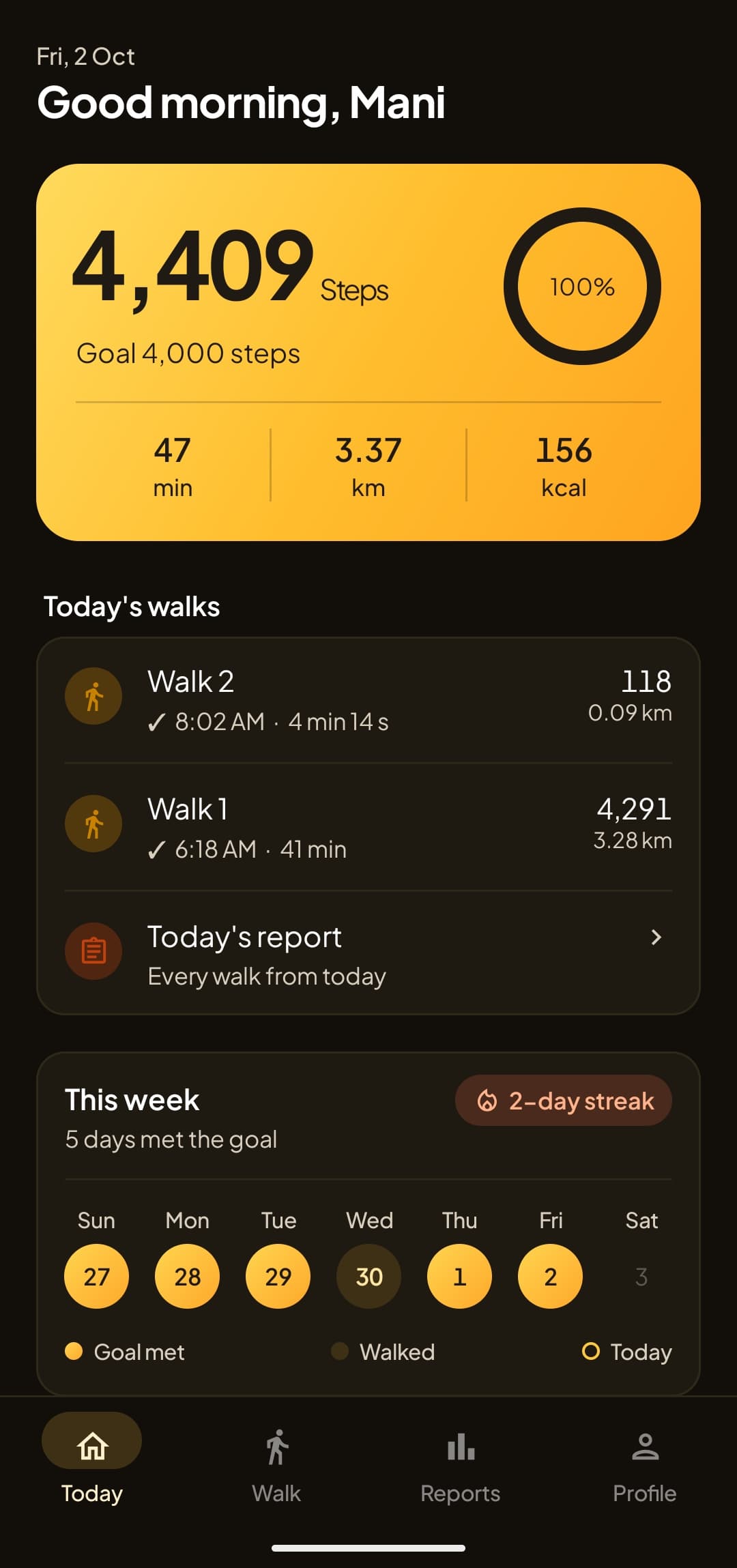
Nivio Today screen: 4,409 steps against a goal of 4,000, with two walks saved this morning

4,409steps47min

100% of today’s goal

Vehicle ride

Not counted as steps

About 40steps
in, and a walk starts by itself.
0bytes
of your data kept by Mani Labs.
33badges
from a first walk to a million steps.
10languages
each one in its own words.

01Rides don’t count

Nivio knows a ride from a walk.

A bumpy road shakes your phone the way steps do. Nivio holds those steps back until you walk again.

2,110steps

  • Morning walk1,240 steps
  • Vehicle rideNot counted
  • Walk at the shops870 steps

Example: 1,240 steps on a morning walk, none counted during the vehicle ride, then 870 more on a walk at the shops, for 2,110 steps.

An example morning; the numbers are illustrative.
  1. 1

    It notices the ride

    Your phone senses the vehicle, and during a walk Nivio checks your GPS speed too.

  2. 2

    It holds the steps back

    The walk pauses and the shaking is set aside, even the seconds before the ride was noticed. A slow, bumpy ride can still add a few.

  3. 3

    It counts again when you do

    Step off and your steps count again. A ride over two minutes ends the walk.

02How a walk works

You walk. Nivio does the rest.

Keep your phone in your pocket. It starts the walk, tells walking from running, and saves it when you rest.

  1. With Auto walk on, just walk: about 40 steps in, the walk starts by itself.

  2. Your pace tells walking from running. Stop for tea and the clock rests.

  3. About 10 still minutes save the walk to your week. Walks under 3 minutes aren’t kept, but their steps still count.

HomeParkTea stall
An example walk you can play, chapter by chapter or whole: it starts by itself 40 steps in at 6:18 AM, runs 180 steps in the park, stops for tea while the clock rests, and is saved to the week after 10 still minutes at home: 4,291 steps in 41 minutes.

03The app

Six screens, one job each.

Everything Nivio shows you fits on six screens. Here is each one, in the order you meet it.

  1. 01Today

    Open it once.

    A short setup asks for the three things Nivio needs to count all day. Then it opens to Today: your steps, your goal and the walks it has saved.

    • 4,409 steps
    • Goal 4,000
    • 2 walks
    The Today screen: 4,409 steps against a goal of 4,000, with two walks saved this morning
  2. 02Walk

    Walk. It starts by itself.

    About 40 steps in, the walk begins. Nivio maps the route, tells walking from running by your pace, and saves the walk when you rest.

    • 4,291 steps
    • 3.28 km
    • 12:44 /km
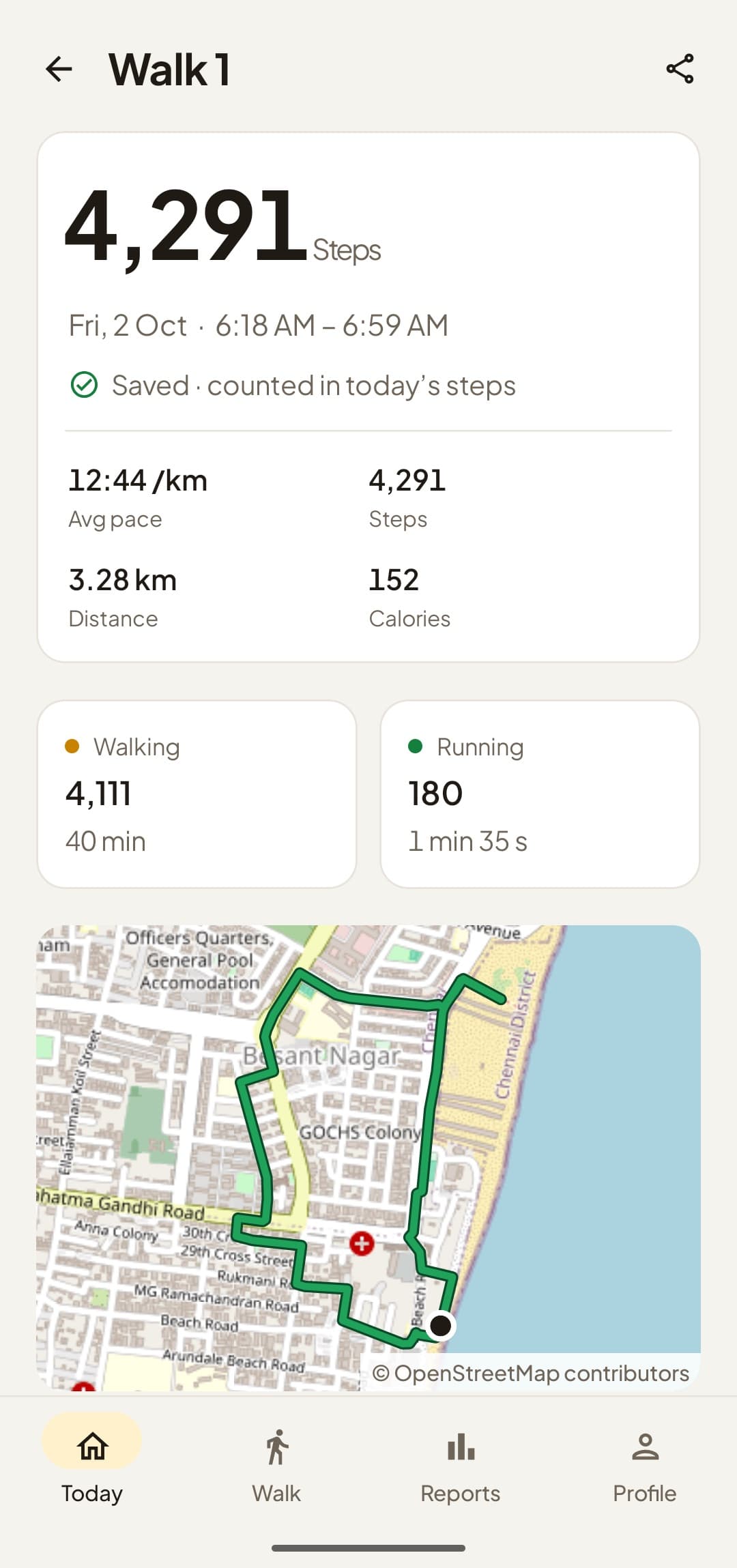
    A saved walk: 4,291 steps in 41 minutes, 3.28 kilometres, with its route on a map
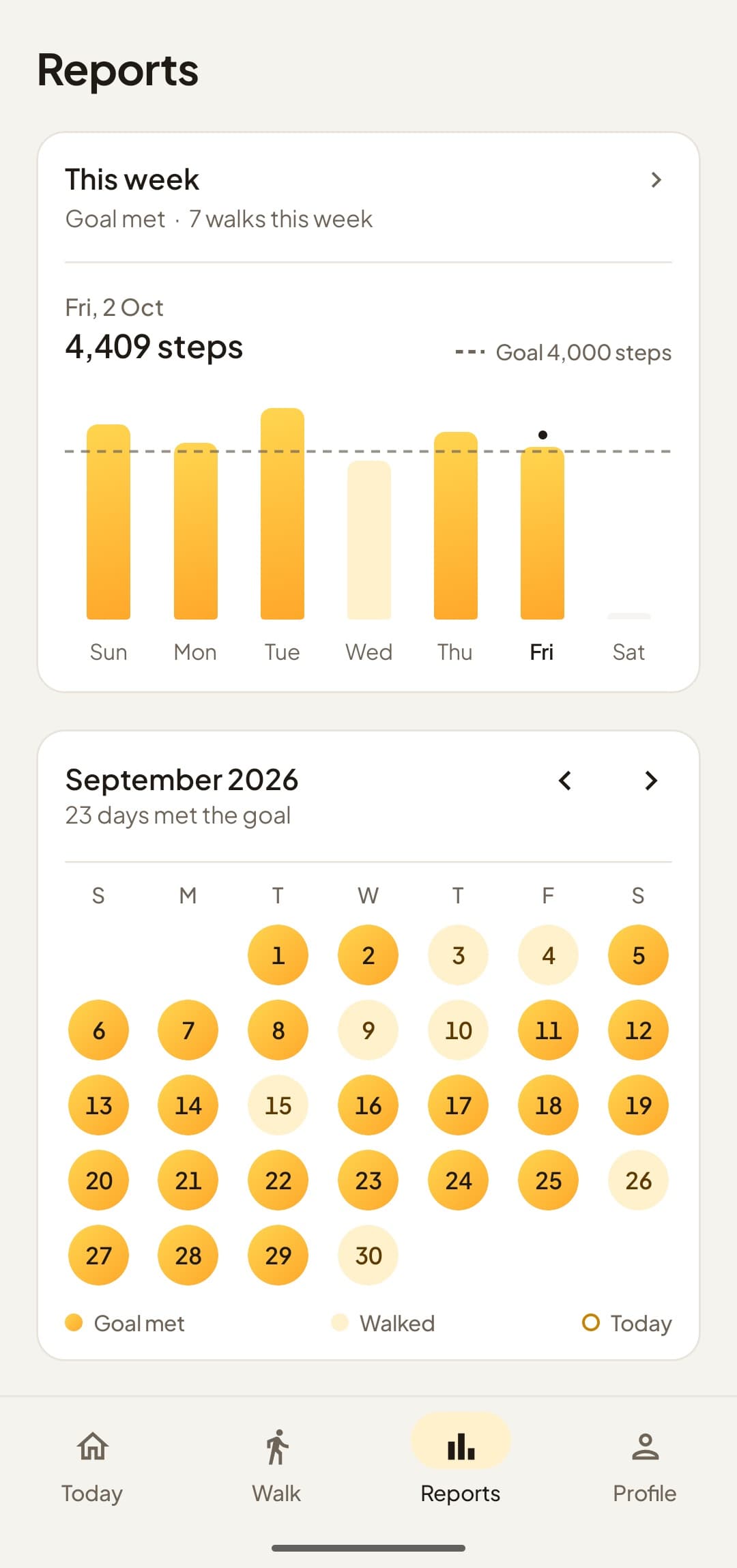
  3. 03Reports

    See how the week went.

    Bars for the week, a calendar for the month, and every day you met your goal turned gold.

    • 7 walks this week
    • 23 days met the goal
    The Reports screen: this week's bars against a goal of 4,000 steps, and September's calendar
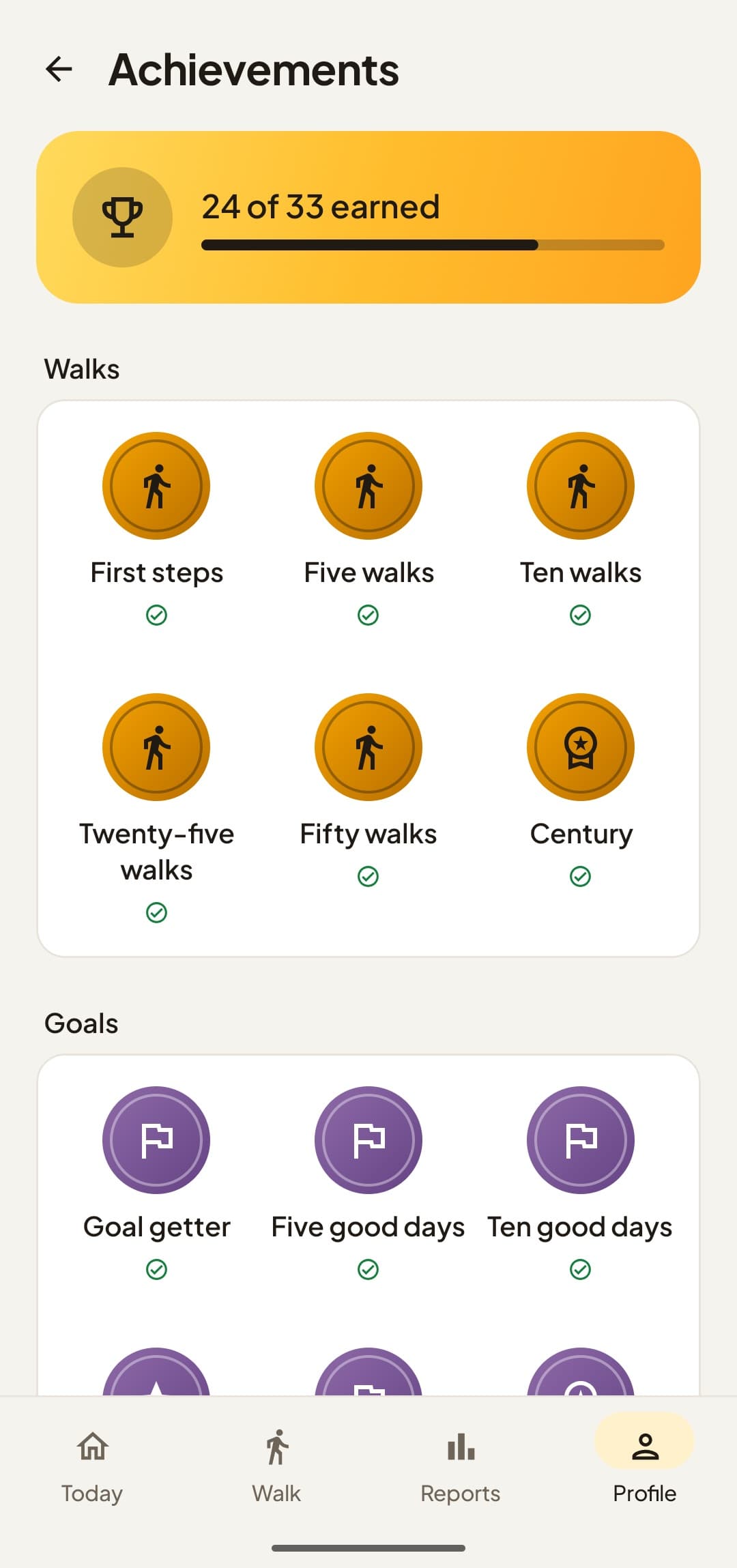
  4. 04Achievements

    Earn the next badge.

    Thirty-three badges, from your first walk to a million steps, worked out on your phone, with the next one always in sight.

    • 24 of 33 earned
    The Achievements screen: 24 of 33 earned, with walk and goal badges
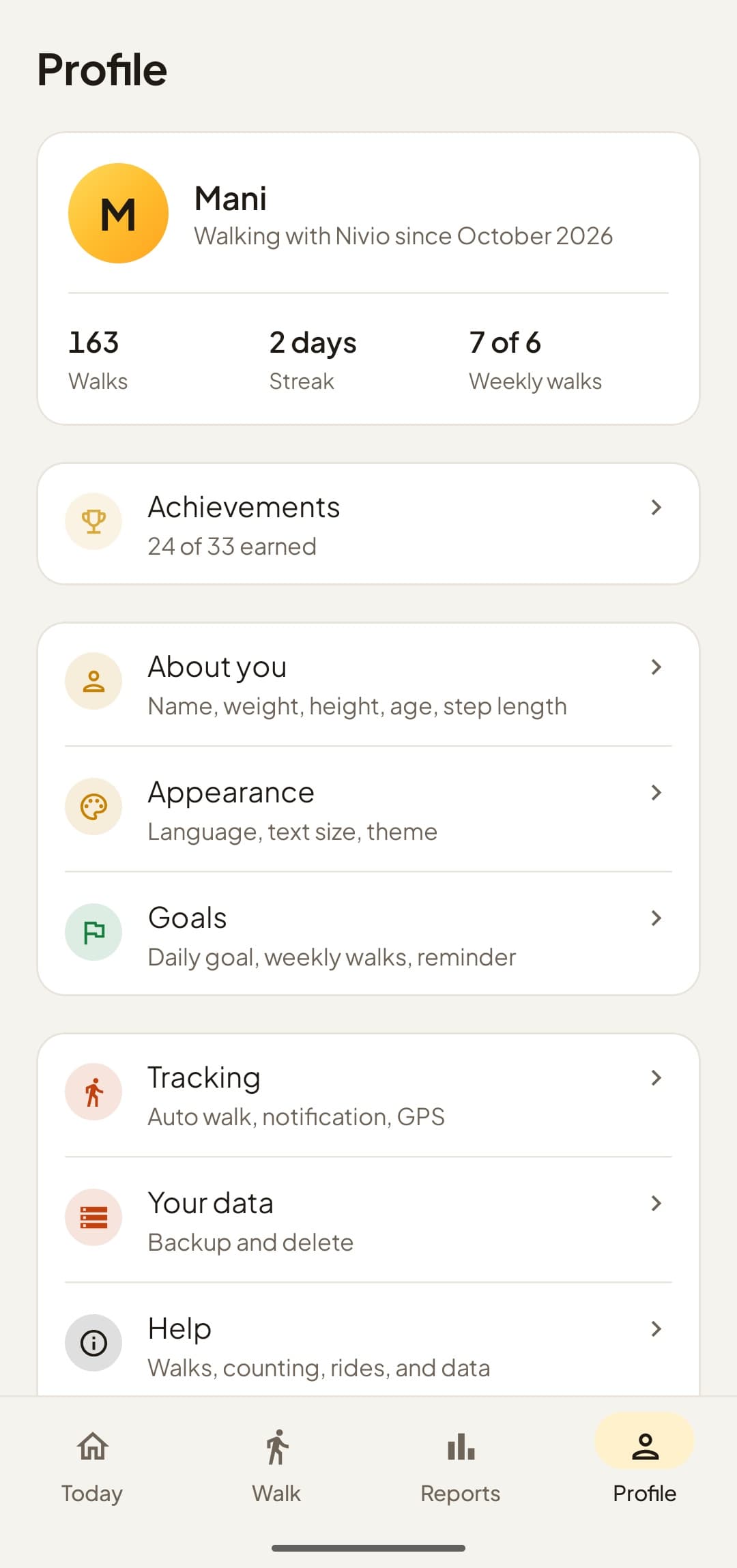
  5. 05Profile

    Make it yours.

    Your language, text size and theme; your goal and reminder; your backup. Everything about you is kept in one place.

    • 163 walks
    • 2-day streak
    • 24 of 33 badges
    The Profile screen: 163 walks, a 2-day streak, 24 of 33 achievements, and rows for About you, Appearance, Goals, Tracking, Your data and Help
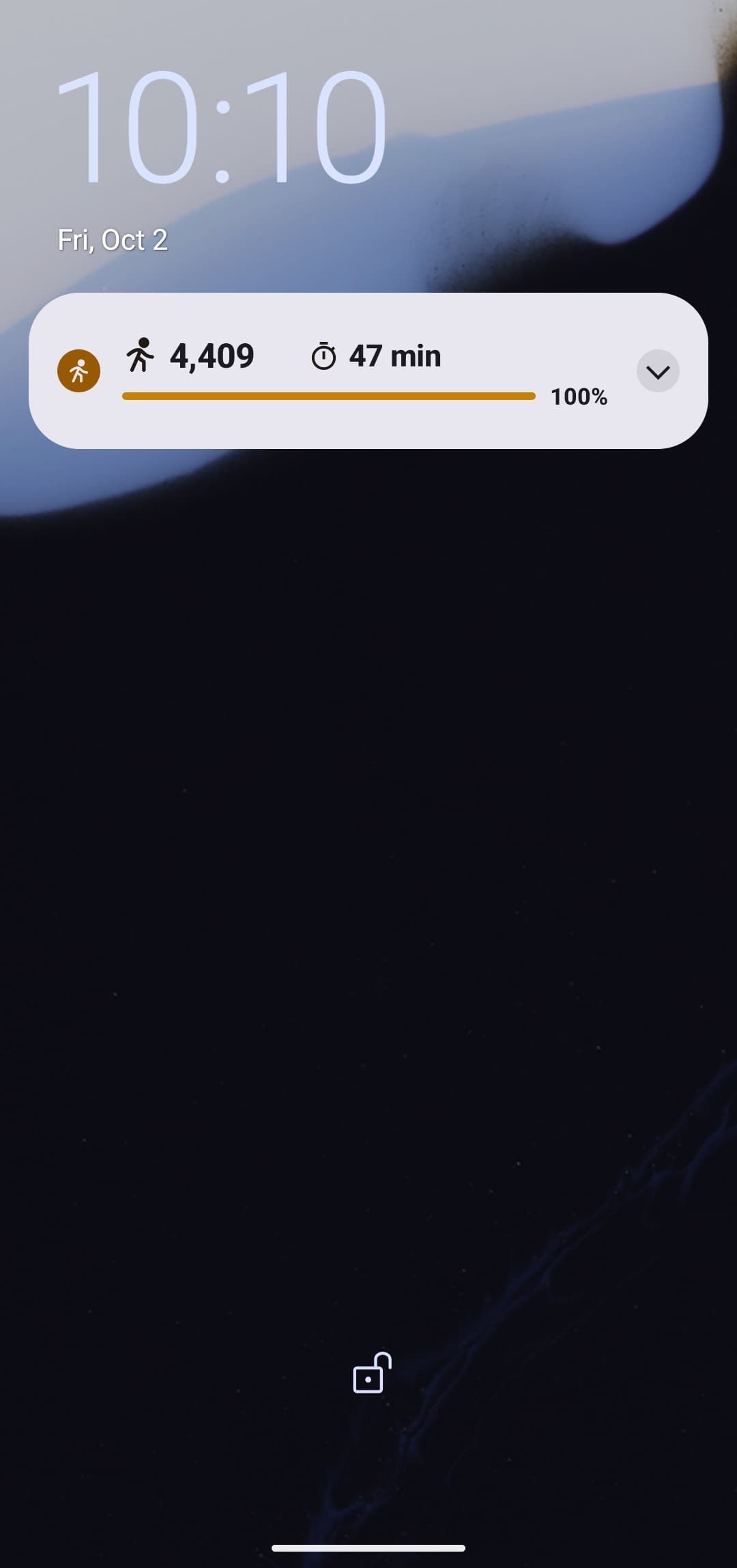
  6. 06Lock screen

    Glance, don’t unlock.

    While you walk, your steps, time and goal sit on the lock screen.

    • 4,409 steps
    • 47 min
    • 100%
    A phone lock screen with a Nivio note: 4,409 steps, 47 minutes and 100% of today's goal
The Today screen: 4,409 steps against a goal of 4,000, with two walks saved this morning

04Features

Everything a daily walker needs. Nothing more.

A goal that fits you

Steps or active minutes. Each day you meet it turns gold, and an 8 PM reminder nudges you if you haven’t.

Daily goal
September 202623 days met the goal

  1. S
  2. M
  3. T
  4. W
  5. T
  6. F
  7. S
  8. 1
  9. 2
  10. 3
  11. 4
  12. 5
  13. 6
  14. 7
  15. 8
  16. 9
  17. 10
  18. 11
  19. 12
  20. 13
  21. 14
  22. 15
  23. 16
  24. 17
  25. 18
  26. 19
  27. 20
  28. 21
  29. 22
  30. 23
  31. 24
  32. 25
  33. 26
  34. 27
  35. 28
  36. 29
  37. 30

On the lock screen

Your walk and today’s goal, without unlocking.

A phone lock screen with a Nivio note: 4,409 steps, 47 minutes and 100% of today's goal

Light, dark or yours

Follow your phone or pick a side, with text in three sizes.

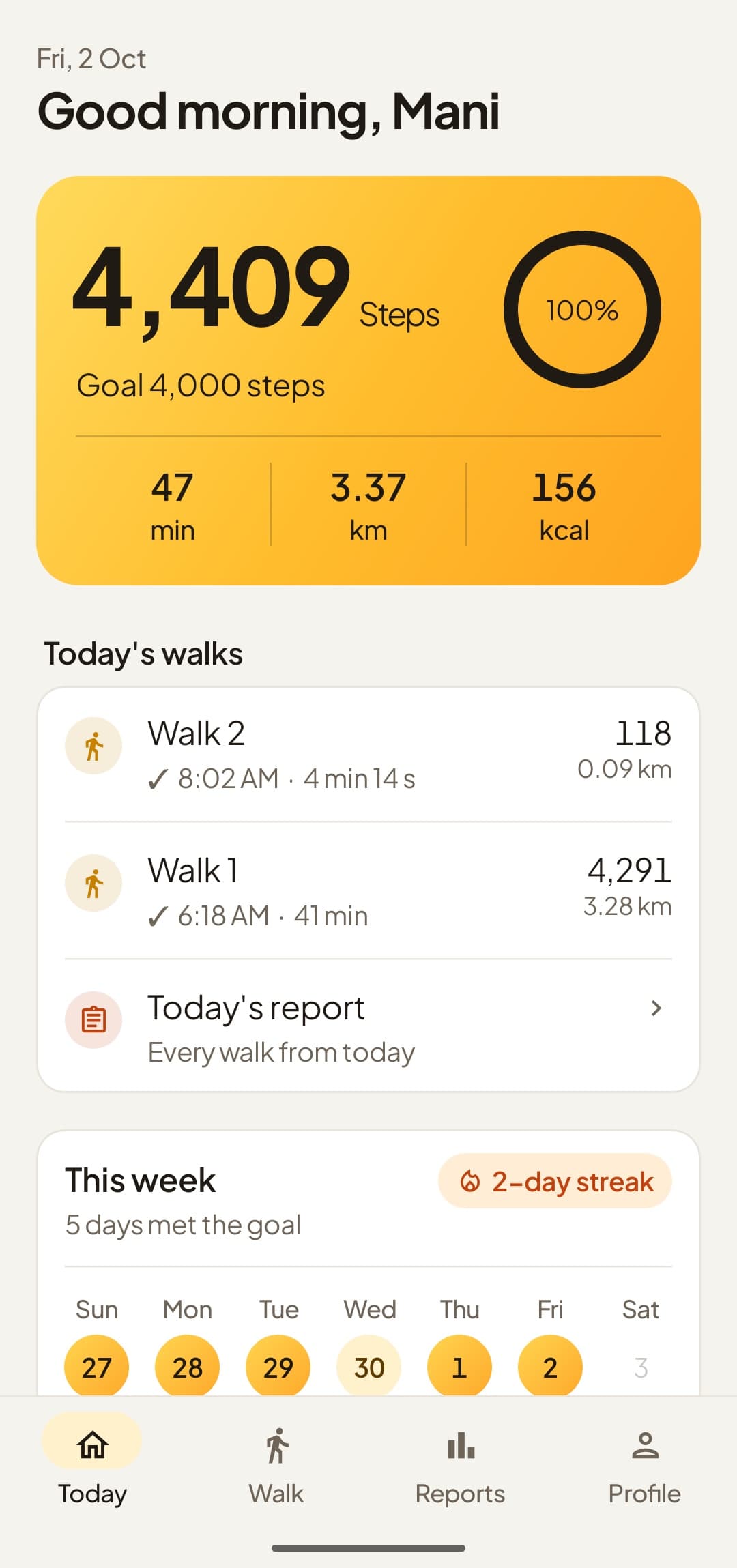
The Today screen with the dark theme: 4,409 steps against a goal of 4,000
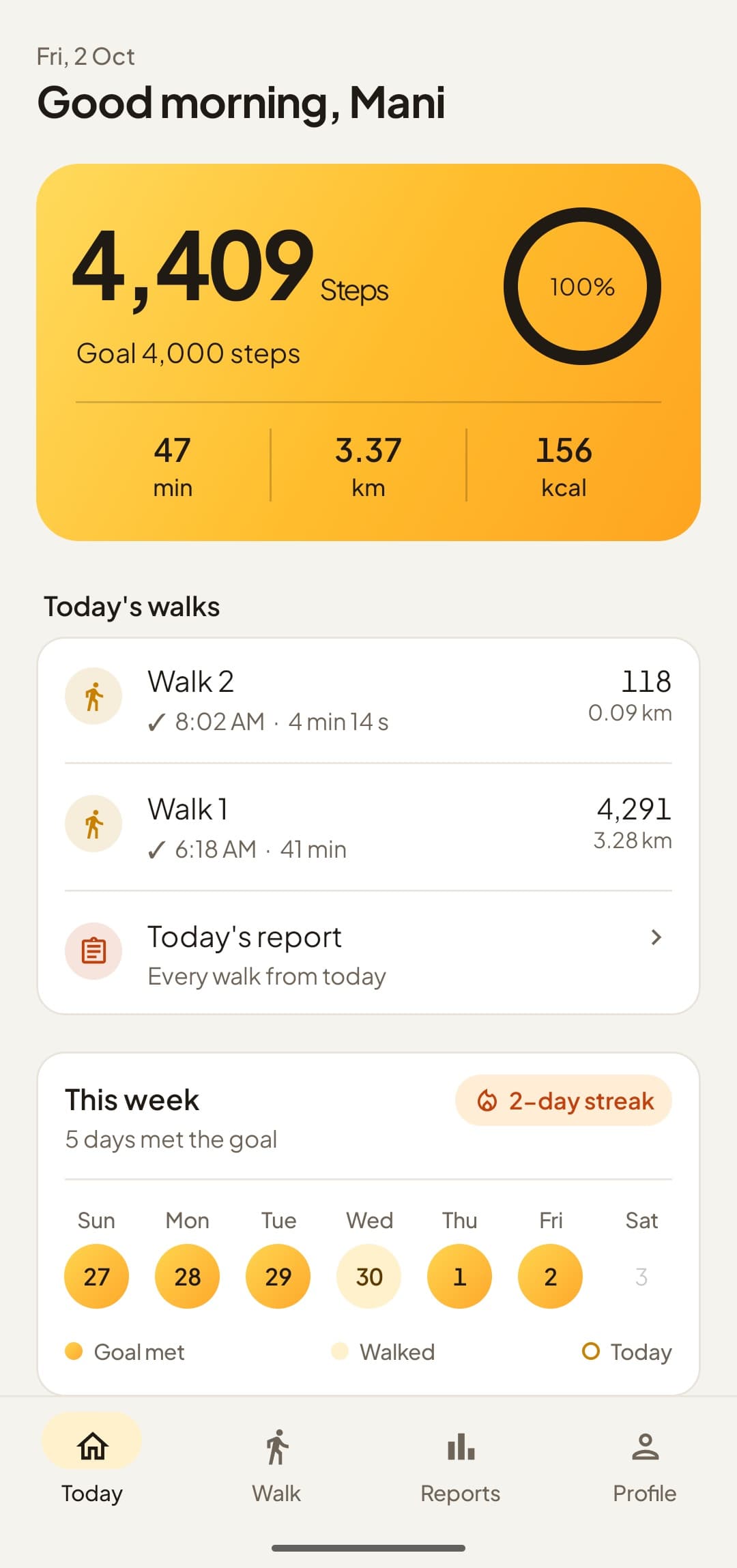
The Today screen with Large text: 4,409 steps against a goal of 4,000

Share a walk

As a picture with its route, or as text.

A saved walk: 4,291 steps in 41 minutes, 3.28 kilometres, with its route on a map and a share button at the top
  • Auto walk

    Starts and saves your walks by itself, all day.

  • Home-screen widget

    Today’s steps and walk time.

  • Evening reminder

    A note at 8 PM if today’s goal is not done.

  • Kilometre splits

    Your time for each kilometre.

  • Export or erase

    A backup file, or everything erased; Nivio asks first.

  • Pause or finish

    From the note in the notification shade, on any screen.

05Achievements

33 badges to earn. Every one on foot.

From your first walk to a million steps, worked out on your phone, with the next one always in sight.

24 of 33 earned

Next badge

The long way

Walk 60 minutes in one go

52 / 60 8 more minutes in one walk

Progress shown is a sample account’s.

06Privacy

Your walks stay on your phone.

No account and no servers. We never see your steps, routes or profile, so there is nothing to sell or share.

On your phone

Nivio’s private storage. Other apps cannot read it.

  • Profile you enter

    Your name (optional), weight, height, age and step length (optional), to estimate distance and calories.

    • Mani
  • Activity

    Step counts, walks and runs (when, how long, steps, distance, calories, kilometre splits), daily totals, goals, streaks and badges.

    • 4,409 steps today
    • 163 walks
    • 2-day streak
    • 24 of 33 badges
  • Routes

    When location is allowed, the GPS points of a walk, so its route can be shown on a map.

    • Only during a walk
  • Settings

    Language, text size, theme, goals and tracking preferences.

    • English
    • 4,000-step goal

What crosses the boundary

  • 0 bytes the app sends to Mani Labs

    Not sent to us or to anyone else. We have no server where it could be stored.

  • Maps from OpenStreetMap

    Nivio asks OpenStreetMap for map images when you view a walk’s map or share it as an image. The request shows the map area and your IP address, as with any website. No walk details, steps or profile go with it.

  • You choose what goes out

    A walk summary or a route image, sent through Android’s share menu to the app you pick, such as WhatsApp.

More about your data

  • Location only on a walk

    Never all day, and never in the background.

  • No cloud backup

    Automatic backup and device-to-device transfer are off, so nothing is copied to Google Drive or another phone without your action.

  • Export or erase, any time

    Profile › Your data. Erasing, or uninstalling, removes everything from your phone.

  • No ads, no analytics

    Nivio has neither, and your health data is never sold or used for advertising.

One thing we may receive that does not come from the app: anonymous crash reports from Google Play, if you have allowed your phone to share usage and diagnostics with Google. They contain no walks, steps or profile details.

Read the privacy policy

07Languages

Ten languages, each in its own words.

Pick one in the app, whatever your phone’s language. Every word and date follows it, and your numbers keep their own separators.

  • EnglishEnglishGood morning
  • தமிழ்Tamilகாலை வணக்கம்
  • हिन्दीHindiसुप्रभात
  • తెలుగుTeluguశుభోదయం
  • বাংলাBengaliসুপ্রভাত
  • मराठीMarathiसुप्रभात
  • EspañolSpanishBuenos días
  • FrançaisFrenchBonjour
  • العربيةArabicصباح الخير
  • 简体中文Chinese早上好

08Why Nivio

Better health shouldn’t cost a thing. Not your money, not your data.

So Nivio is free, with no account, no ads and nothing to sell. It just notices the walk, counts it honestly, and stays out of the way.

Mani, Mani Labs

Nivio

Today’s walking · Fri, 2 Oct


Steps today
4,409
Walks saved
2
Badges earned
24 of 33

The app
Free
Account
None
Subscription
None
Ads
None
Your data we keep
0 bytes

Total0.00

09Questions

Quick answers

The longer answers are on the support page.

What is Nivio?

Nivio is a free step counter and walking tracker for Android. It starts walks by itself, counts your steps, ignores vehicle rides and saves each walk when you rest, all on your phone.

Does Nivio count steps in a vehicle?

No. In a vehicle, Nivio pauses the walk and holds those steps back until you walk again. A slow, bumpy ride can still add a few. More about how Nivio counts.

Do I need an account to use Nivio?

No. There is no account, no ads and no analytics, and your data stays on your phone. Read the privacy policy.

Which phones does Nivio work on?

Android 10 or newer, with Google Play services and a built-in step counter. Most phones have one; Google Play offers Nivio only to those that do.

Does Nivio use GPS all day?

No. Location is used only during a walk, and Nivio never asks for “Allow all the time”. Without it, distance comes from your steps.

Which languages does Nivio speak?

English, Tamil, Hindi, Telugu, Bengali, Marathi, Spanish, French, Arabic and Chinese. Pick one in the app, whatever your phone’s language.

Where do Nivio’s maps come from?

From OpenStreetMap. Map images download only when you view or share a walk’s map, and no walk details are sent.

Who makes Nivio?

Mani Labs. For help, see the support page, where you can also email us.

Start your next walkwith Nivio.

Free for Android 10 and newer, on phones with a built-in step counter.